NSFW AI video generation has gone from a niche experiment to a legitimate creative tool in under two years. Whether you want to create personalized adult content with an AI companion, produce suggestive lifestyle imagery that moves, or just explore what the technology can actually do, knowing how to generate NSFW AI videos step by step puts real creative power in your hands. Private Crush is one of the most capable platforms for this right now, with full NSFW video generation built directly into your AI companion experience.
This breakdown covers everything from picking the right platform to writing prompts that deliver exactly what you're imagining.
What NSFW AI Video Generation Actually Is
Before diving into the steps, it helps to understand what you're working with. NSFW AI video generation uses machine learning models trained on large visual datasets to produce short video clips from text prompts, reference images, or a combination of both.
How AI Turns Text Into Video
Modern AI video models don't just animate still frames. They predict sequences of frames based on temporal patterns learned during training, meaning the result has natural motion, realistic physics, and visual continuity. The process typically looks like this:
- You input a text prompt describing the scene, subject, lighting, action, and mood
- The model generates a latent representation of the visual content
- That latent representation is decoded into a sequence of frames
- Frames are stitched together into a short clip (usually 3-8 seconds)
The quality has improved dramatically. Early AI video looked choppy and unnatural. Current models produce fluid, photorealistic motion that holds up surprisingly well.
The Difference Between NSFW Images and Videos
Still images and video use different models and require different approaches:
| Feature | NSFW AI Images | NSFW AI Videos |
|---|
| Generation time | 5-15 seconds | 30-120 seconds |
| Prompt complexity | Moderate | High (motion must be described) |
| Control over output | High | Medium |
| File size | Small | Large |
| Realism threshold | Very high | High |
| Best for | Details, portraits | Action, atmosphere, motion |
Images are faster and easier to refine. Videos require more thought in the prompt because you're describing motion, not just a moment.

Not all platforms are equal. Some are general-purpose AI video tools that happen to allow adult content. Others, like Private Crush, are built specifically for adult AI content generation with characters you can customize and interact with.
What to Look for in a Platform
Before committing to any tool, check these criteria:
- Content policy: Does it actually allow NSFW output, or will it block your prompts?
- Character consistency: Can you generate multiple scenes with the same character?
- Image-to-video support: Can you start from a still image you've already generated?
- Privacy: Is your content encrypted and private to your account?
- Output quality: Does the video hold up at full resolution?
Free vs. Paid: What You Actually Get
| Feature | Free Tier | Premium Tier |
|---|
| Monthly generations | 5-10 clips | Unlimited |
| Video length | 3-4 seconds | Up to 8 seconds |
| Resolution | 720p | 1080p+ |
| Character consistency | Limited | Full character memory |
| NSFW content | Restricted | Fully uncensored |
| Priority generation | No | Yes |
| Multiple companions | No | Yes |
The free tier on most platforms is enough to test the technology. For serious use, premium access is worth it, especially for unlimited generation and uncensored output.
💡 Check the pricing plans before signing up. Some platforms charge per generation. Others give you unlimited access for a flat monthly fee, which makes much more sense if you plan to experiment heavily.
How to Generate NSFW AI Videos Step by Step
This is the core tutorial. The steps below are based on Private Crush, which integrates NSFW video generation directly into the companion experience. The process is cleaner than standalone video tools because your character's appearance stays consistent across generations.
Step 1: Create Your Account
Head to private-crush.com/account and sign up. The process takes about 30 seconds. No personal verification required beyond age confirmation. Once inside, you'll see your companion dashboard immediately.
✅ Set a strong password and review your privacy settings before generating content. Private Crush encrypts all content and does not share your data with third parties.
Step 2: Browse and Pick Your Character
Navigate to the AI characters gallery. With 120+ unique companions, the gallery is extensive. Filter by style (realistic, anime, cosplay, fantasy) and personality type (playful, dominant, submissive, romantic).
Some popular starting points:
- Aria Chen: Elegant and sophisticated, perfect for atmospheric video scenarios
- Valentina Ramirez: Fiery and expressive, great for bold dynamic scenes
- Sakura Nakamura: Anime-inspired with a playful personality, ideal for fantasy scenarios
- Madison Taylor: The all-American girl-next-door type, very versatile for lifestyle content
- Giulia Rossi: European glamour aesthetic that works beautifully for luxury setting videos
Your character's appearance remains consistent across all generated content, which is a significant advantage over generic video tools.
Step 3: Set Up Your Scene Parameters
Before writing your actual prompt, decide on the following:
- Location: Bedroom, hotel suite, beach, living room, outdoor setting
- Time of day and lighting: Morning light, candlelight, neon bar ambiance, golden hour
- Mood: Romantic, playful, teasing, intimate, sensual
- Action: What is the character doing? Movement must be described specifically.
- Camera angle: Close-up, wide shot, point-of-view, over-the-shoulder
The more specific your scene parameters before you write the prompt, the better the output.
Step 4: Write Your Prompt
Go to the NSFW Video Generator and enter your prompt. Use the structure below for best results:
Prompt formula: [Character action] + [Environment description] + [Lighting] + [Camera movement and angle] + [Mood and atmosphere] + [Technical quality tags]
Example prompt:
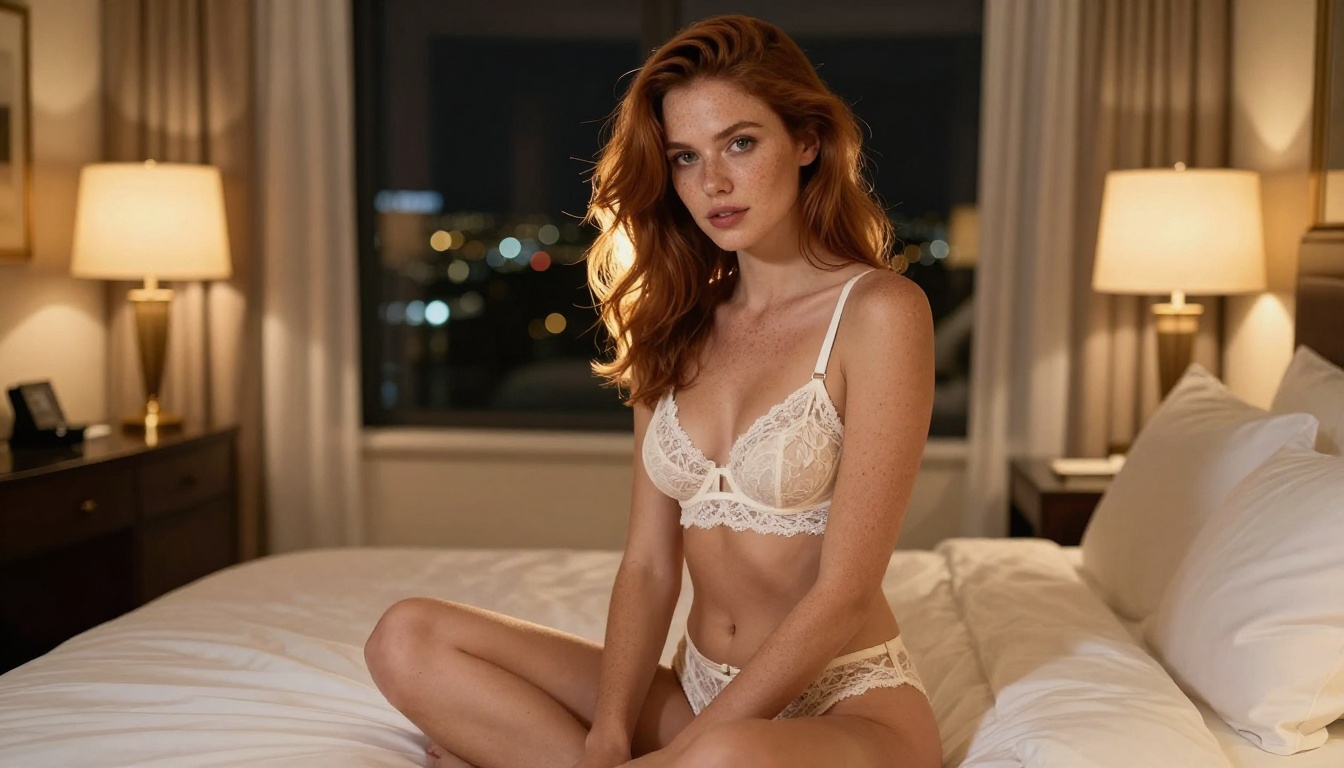
"Woman in ivory silk robe walking slowly toward camera in a candlelit hotel suite, warm amber light from bedside lamps casting soft shadows, camera at low angle tilting up slightly, slow motion, intimate mood, photorealistic 8K"
Note what this prompt does:
- Specifies the action (walking toward camera)
- Describes the setting (candlelit hotel suite)
- Defines lighting direction and quality (amber, lamp light, soft shadows)
- Gives a camera instruction (low angle, tilt up)
- Sets technical expectations (slow motion, 8K)
Step 5: Generate, Review, and Refine
Hit generate and wait 30-90 seconds depending on server load. When your clip arrives:
- Watch the full clip before saving
- Identify what worked and what didn't
- Adjust one variable at a time when refining (change lighting, re-run; change action, re-run)
- Use the image-to-video feature if you have a still image you want to animate, via NSFW Image to Video
⚠️ Changing multiple prompt elements at once makes it hard to know what caused the improvement or degradation. Test systematically.
Writing Prompts That Actually Work
Prompting for video is different from prompting for images. The model needs to know what changes over time, not just what the scene looks like at a single moment.
Prompt Structure Breakdown
Break your prompt into these components:
| Prompt Component | What to Include | Example |
|---|
| Subject | Who is in frame | "brunette woman in red dress" |
| Action and Motion | What moves and how | "slowly turning toward camera" |
| Environment | Where the scene takes place | "in a sun-drenched balcony" |
| Lighting | Direction, color, intensity | "warm golden hour side light" |
| Camera | Angle, movement, focal length | "wide shot, slight dolly push" |
| Mood and Atmosphere | Emotional quality | "romantic, dreamy, soft" |
| Technical tags | Quality modifiers | "photorealistic, 8K, film grain" |
Stacking all seven components consistently produces better outputs than shorter prompts.
Common Mistakes to Avoid
Mistake 1: Describing too many actions at once
Prompts like "woman dancing, laughing, looking at camera, walking, sitting" confuse the model. Pick one primary action.
Mistake 2: No motion descriptor
"Beautiful woman in hotel room" generates something that looks like an image with slight movement. Add verbs: "slowly reaches toward camera," "hair moving in breeze," "turns gracefully."
Mistake 3: Skipping lighting
Lighting has a massive impact on realism. "Natural morning light from left window" produces dramatically better results than a prompt with no lighting instruction.
Mistake 4: Ignoring camera angle
Point-of-view shots feel completely different from wide shots. Always specify your camera perspective.
Content Types You Can Generate
Understanding the input modes available will expand what you can create significantly.
Text to Video Directly
The Text to NSFW Video tool takes a written prompt and generates a clip from scratch. This is the most flexible approach because you're not constrained by existing source material.
Best uses for text-to-video:
- Generating entirely new scenes with your AI companion
- Exploring different settings and environments
- Creating atmospheric or mood-based content
Still Image to Video
Start with an image you've already generated (or approved) and animate it. The NSFW Image to Video feature gives you more control over the character's appearance since the model uses your input image as an anchor.
Image-to-video advantages:
- Character face and appearance are more consistent
- You can refine the still image first, then animate
- Better for close-up, portrait-style content
💡 Generate the perfect still image first, then use it as the source for your video. This two-step approach consistently produces better character consistency than text-to-video alone.
Privacy and Safety in NSFW AI Video Generation
This matters more than most platforms acknowledge openly.
What Reputable Platforms Actually Store
When you generate content on a legitimate NSFW AI platform, here's what should be true:
- Your generated content is stored only in your account, not in shared databases
- Your prompts are not used to train future models without your consent
- No personally identifying information is attached to your generated content
- Content can be deleted from your account permanently
Private Crush uses full data encryption and does not share your content with anyone. Your generations stay private to your account. This is a significant differentiator from generic open-source tools where your prompts and outputs may be logged and potentially visible to others.
✅ Always read the privacy policy of any NSFW AI platform before generating content. Look specifically for language about prompt logging, training data consent, and data retention policies.
Age and Consent Standards
All AI companions on platforms like Private Crush are explicitly designed as adults. The platform enforces age verification for users and all generated characters are verified adult representations. This is non-negotiable for any responsible NSFW AI service.
Getting More From Your AI Companion Videos
Once you understand the basics, these approaches will dramatically improve your results.
Using the Memory System
Private Crush includes a memory system that stores details from your conversations and interactions with your AI companion. This means your companion remembers your preferences, what scenarios you've explored before, and how you like to interact.
For video generation, this is useful because you can reference past interactions in your prompts: "Continue from our beach scenario" or "Same setting as last night, but morning light instead."
Combining Features for Richer Content
The most interesting results come from combining multiple platform features:
- Start with an NSFW image of your companion in a specific setting
- Chat with your companion to build the narrative context
- Generate a video that continues the scene
- Use voice messages to add audio to the experience
This workflow creates a genuinely immersive experience that standalone video tools simply cannot replicate.
Character Styles Worth Exploring
Different character styles produce distinctly different video aesthetics:
| Character Style | Video Aesthetic | Best Scenario Type |
|---|
| Realistic | Photographic, cinematic | Lifestyle, intimate, glamour |
| Anime | Vibrant, stylized motion | Fantasy, playful, cosplay |
| Cosplay | Bold, dramatic | Themed, character-based |
| Fantasy | Atmospheric, dreamy | Romantic, otherworldly |
Browse the full range at the characters gallery to find your ideal visual style before you start generating.
Start Creating Right Now
You have the framework. The step-by-step process is straightforward once you understand what the model actually needs from you. The biggest factor separating mediocre outputs from genuinely impressive AI video content is prompt quality. Specific beats vague, every single time.
The easiest way to see the difference between platforms is to simply try one. Private Crush gives you access to 120+ AI companions, unlimited NSFW image and video generation on premium plans, full character consistency, voice messages, and a memory system that actually remembers you.
Start with a character that appeals to you at the characters gallery. Generate a still image first to confirm you like the look and feel. Then animate it with the image-to-video tool and refine from there.
Creating an account takes 30 seconds at private-crush.com/account. Compare what each plan includes at the pricing page before choosing.
The technology is there. The only thing left is deciding what you want to create.