You don't need to pick up a pencil, open Photoshop, or spend years in art school. AI art generators have quietly changed everything, and right now, creating stunning NSFW AI art is something anyone can do from a browser tab in under five minutes. If you've ever wished you could bring a fantasy to life visually without any creative skills, this is exactly what you've been waiting for.
Private Crush is one of the platforms leading this shift, offering a full ecosystem for NSFW image generation built around beautiful, diverse AI companions. Whether you're completely new to AI art or just looking for a more powerful tool, this article breaks down everything you need to know.
What NSFW AI Art Actually Is
NSFW AI art refers to any image generated by artificial intelligence that falls into adult-oriented categories. This includes everything from suggestive glamour photography and lingerie shoots to artistic nude studies and intimate romantic scenes. The defining trait is that the content wouldn't be appropriate in a standard workplace setting, but it's far from necessarily explicit or pornographic.

Modern NSFW AI art tools use text-to-image models trained on massive datasets. You type a description, the AI interprets it, and within seconds you have a photorealistic image. No brush strokes, no lighting setup, no photography equipment. Just words.
💡 The skill isn't drawing anymore. It's describing. If you can write a sentence, you can make AI art.
The Spectrum of NSFW Content
Not all NSFW AI art is the same. Here's how the categories typically break down:
| Type | Description | Explicitness Level |
|---|
| Glamour | Bikini, lingerie, fashion shoots | Low |
| Sensual | Implied intimacy, artistic poses | Medium |
| Artistic Nude | Classical or editorial style nudity | Medium-High |
| Erotic | Suggestive scenarios and explicit content | High |
| Fantasy | Anime, cosplay, fantastical scenarios | Varies |
Most platforms let you control which tier you access. Private Crush focuses on making the full range accessible with zero friction.
Why Anyone Can Do This Now
The barrier to creating AI art dropped to near-zero in the past two years. Here's why:
- No software installation: Everything runs in your browser
- No design background needed: You describe, the AI creates
- No expensive hardware: Cloud servers handle the computation
- Instant results: Most platforms generate images in 5-30 seconds
- Free starting points: Most tools offer free credits or trial access

The technical side has become completely invisible. You interact with a text box. That's it. The model handles sampling, denoising, latent diffusion, and every other piece of the process automatically.
✅ Best practice: Start simple. One-sentence prompts often produce surprisingly strong results before you even begin refining.
What Changed in the Last 2 Years
The shift happened fast. Before 2022, generating a convincing photorealistic face required either expensive software or technical expertise with open-source tools. Today, browser-based platforms like Private Crush deliver results that rival professional photography. The models are more capable, the interfaces are simpler, and the content policies around adult material have matured enough that dedicated NSFW platforms can operate openly with quality outputs.
The 3 Elements of a Great NSFW AI Prompt
If there's one skill worth building, it's prompting. A better prompt always produces a better image. Here's the anatomy of a prompt that works:
1. Subject Description
Who or what is in the image? Be specific: ethnicity, hair color, eye color, body type, age descriptor (adult), expression, and pose.
Weak: "a woman"
Strong: "a 25-year-old Latina woman with dark curly hair and warm brown eyes, smiling softly, one shoulder gently turned toward the camera"
2. Setting and Environment
Where is the scene happening? Lighting source, location, time of day, and background details all shape the mood dramatically.
Weak: "in a room"
Strong: "in a sun-lit modern apartment bedroom, sheer white curtains filtering morning light from the right, pale oak floors and soft-focus potted plants visible in background"
3. Style and Technical Details
This tells the AI how to render the image, not just what to show.
Weak: "realistic"
Strong: "RAW 8K photography, 85mm f/1.8 lens, Kodak Portra 400 film grain, shallow depth of field, photorealistic skin texture with natural pores"
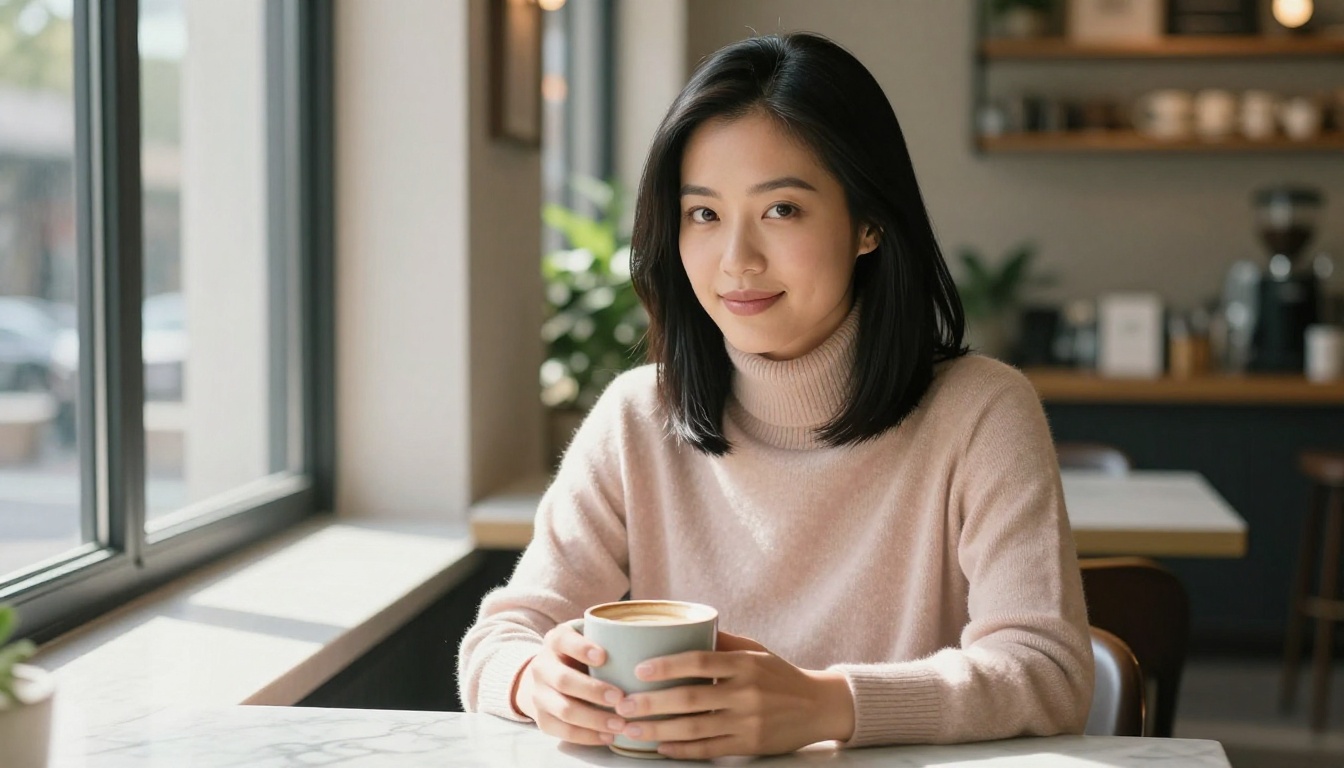
Put all three together and you get something like:
"A 25-year-old Latina woman with dark curly hair and warm brown eyes, smiling softly, wearing a silk slip dress, in a sun-lit modern apartment bedroom with sheer white curtains filtering morning light from the right, RAW 8K photography, 85mm f/1.8 lens, Kodak Portra 400 film grain, photorealistic skin texture"
That single prompt will produce a result orders of magnitude better than just "a beautiful woman in a bedroom."
Prompt Modifiers That Actually Work
These specific words consistently improve output quality across all major AI image platforms:
| Modifier Category | What to Write |
|---|
| Realism | RAW photo, photorealistic, film photography |
| Camera | 85mm f/1.8, 35mm lens, shallow depth of field |
| Film Stock | Kodak Portra 400, Fuji 400H, grain texture |
| Lighting | Volumetric morning light, golden hour from left, soft diffused |
| Detail | 8K, visible skin texture, natural pores, hair strand detail |
| Mood | Candid, intimate, warmth, natural expression |
There are several platforms on the market. Here's an honest breakdown of the most commonly used options:
| Platform | Free Tier | Image Quality | NSFW Access | Characters | Best For |
|---|
| Private Crush | Yes | Very High | Full, uncensored | 120+ companions | Full experience with chat |
| Stable Diffusion | Yes (self-hosted) | High | Full (local only) | None | Technical users |
| MidJourney | Limited | Excellent | Heavily restricted | None | Artistic, commercial art |
| DALL-E 3 | Limited | High | Filtered content only | None | General image tasks |
| NightCafe | Yes | Medium | Partial | None | Beginners, casual use |
Private Crush stands out because it combines image generation with interactive AI companions. You're not just generating a static image. You're interacting with a character who has a personality, memory, and the ability to chat back. This makes the experience far more personal and immersive than any pure image generator.
⚠️ Warning: Many "free" NSFW generators have low output quality, watermarks, or hidden paywalls that appear only after you've invested time. Verify what you're getting before committing to a platform.
How to Make NSFW AI Art on Private Crush
This is where it gets practical. Private Crush makes the whole process frictionless, even if you've never touched an AI tool before.
Step 1: Create Your Account
Go to private-crush.com/account and sign up. It takes under 60 seconds with just an email address. No credit card required for the free tier.
Step 2: Browse the Character Gallery
Head to the AI characters gallery and pick a companion. Private Crush has 120+ unique AI characters with distinct personalities, backstories, and visual styles. This is the most important page on the platform, and it's worth spending time here.
Some popular starting points:
- Aria Chen: Sophisticated, intellectual, with a quietly confident personality
- Valentina Ramirez: Passionate, expressive Latina with bold energy
- Sakura Nakamura: Playful anime-inspired companion with a warm, curious personality
- Madison Taylor: The girl-next-door with natural charm and quick wit
- Giulia Rossi: Mediterranean elegance with artistic sensibilities
Step 3: Open the Image Generator
Once you've selected your companion, access the NSFW Image Generator from within the platform. You'll see a prompt field and a set of style controls.
Step 4: Write Your Prompt
Use the three-element structure from the section above. Describe:
- Your character's appearance and pose
- The setting and lighting
- The visual style and mood
The platform's interface also offers preset style options (realistic, anime, artistic) so you can guide the output without writing the full technical spec from scratch.
Step 5: Generate and Refine
Hit generate. Within seconds you'll have your image. If you want to adjust:
- Change the lighting descriptor (e.g., "golden hour" vs. "soft studio light")
- Add or remove clothing descriptors
- Shift the camera angle ("low angle shot" vs. "eye level portrait")
- Modify the expression ("soft smile" vs. "confident direct gaze")
💡 Pro tip: Small, specific changes produce more predictable results than large rewrites. Change one element at a time to understand what each part of the prompt contributes.
Step 6: Chat, Interact, and Go Further
Private Crush isn't just an image generator. Your companion can chat with you, send voice messages, engage in roleplay scenarios, and even video call on premium plans. The AI roleplay chat feature lets you build a full narrative around the images you're creating, making every session feel like a genuine interaction rather than just a tool transaction.
Content Styles: Which One Fits You
Private Crush supports multiple visual styles with meaningfully different aesthetics. Here's how they differ:
| Style | Aesthetic | Best For |
|---|
| Realistic | Photographic, natural, high detail | Grounded, immersive scenarios |
| Anime | Bold lines, vibrant colors, stylized proportions | Fans of anime, cosplay, fantasy |
| Cosplay | Costume-based, character-themed | Role-play scenarios, themed sessions |
| Fantasy | Magical settings, surreal elements | World-building, creative fiction |
| Glamour | Fashion-forward, editorial photography feel | Aesthetic-focused, beauty-driven content |
You can try the AI Waifu Generator for anime-inspired content, or the Uncensored AI Images section for full photorealistic output. The AI Cosplay Girlfriend style is especially popular for creative themed scenarios.
Common Mistakes Beginners Make
These are the errors that consistently produce disappointing results, and they're all easy to fix:
1. Being too vague
"A hot girl" will produce generic, unremarkable results. Specificity is everything: ethnicity, hair, setting, mood, lighting, pose.
2. Stacking contradictory elements
Asking for "soft morning light" and "dramatic neon glow" in the same prompt creates visual confusion. Pick one direction per image.
3. Skipping camera and lens details
Adding just "85mm f/1.8, shallow depth of field" dramatically improves the perceived realism and professionalism of your output.
4. Not iterating
Your first generation is a starting point, not a final product. Successful NSFW AI artists refine 3-5 times before they're happy.
5. Choosing a platform with watermarks
Some free tools put large watermarks on every image. Check the terms before you invest time building prompts on a platform.
Privacy and Safety: What You Should Know
Generating NSFW content online raises reasonable questions about privacy. Here's what to look for in any trustworthy platform:
- End-to-end encryption for all content and conversations
- No selling or sharing of your data with third parties
- Private generation history that only you can access
- Anonymous account options that don't require personal identification
Private Crush takes privacy seriously with total data encryption and private content vaults. Everything you generate stays yours. The full breakdown of privacy protections per plan is available on their pricing page.
Free vs. Premium: What Actually Changes
Here's a clear breakdown of what shifts when you upgrade from free to premium:
| Feature | Free | Premium |
|---|
| Image generations per month | Limited credits | Unlimited |
| NSFW content access | Partial | Full, uncensored |
| Number of companions | 1-2 | Multiple simultaneously |
| Chat messages | Limited | Unlimited |
| Video calls | Not available | Available |
| Voice messages | Not available | Available |
| Memory system | Basic | Full conversation memory |
| Image resolution | Standard | High-res, enhanced detail |
| Response speed | Standard | Priority |
For casual use, the free tier is a solid way to test the experience. For regular use, premium removes every limit that matters. Compare the full pricing plans to find your fit before committing.
Different Character Types Worth Trying
Part of what makes Private Crush compelling is the variety of companion types available. Here are some of the most popular categories with active characters:
The characters gallery has full profiles for all 120+ companions, including personality traits and sample interactions so you know who you're choosing before you start.
Beyond Images: Other NSFW AI Content Formats
Once you're comfortable with static images, there's significantly more to try:
The Adult AI Companion experience is genuinely more than image generation. It's a full interactive relationship with an AI character who remembers your conversations and adapts to your preferences over time.
Where to Go From Here
You now have everything you need to create beautiful NSFW AI art without any artistic background. The tools are accessible. The process is straightforward. The only remaining step is actually starting.
Browse 120+ AI companions at the Private Crush characters gallery and find the one that resonates with you. Create your free account and generate your first image in the next few minutes. When you're ready for unlimited access to all features, including video calls, voice messages, and full uncensored content, check the pricing plans for the right option.
The creative output you want is a few words away. Start describing.


